As seen on FB (Link: https://www.facebook.com/share/p/51vePn1ynAr4jVo2/)

Creating Digital Books with Mac and iPad is a free resource available in the Apple Bookstore.
Publisher Description
Writing and publishing a book might seem daunting, but don't worry. This guide, developed especially for educators, shows you how incredibly easy it is to design, create, and share your own professional-looking digital books using Pages on iPad or a Mac. Filled with step-by-step instructions, detailed screenshots, photos, illustrations, audio, and video, Creating Digital Books on Mac and iPad covers what you need to know about planning the structure of a book, working with text, illustrating with objects, adding media such as audio and video, building in navigation links, and much more.
This book goes beyond a simple user guide, providing useful design tips and suggestions for increasing the educational value of what you publish using Pages. Whether your objective is creating new resources tailored to your community's needs or breathing life into your existing curriculum, this guide will help you produce fun, immersive digital books that gets students more excited about what they're learning.
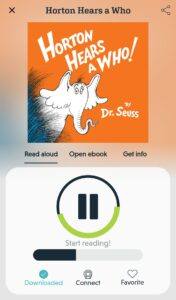 That’s exactly what the creators of Novel Effect hope to do. The free app for both Apple and Android allows you to read a book aloud while it provides special effects and relevant audio. Instead of speech-to-text, think of this as speech-to-sound effects. As you are reading out loud, the app listens and provides audio to enhance the reading. Leaves rustle, animals howl, and footsteps crackle as you tell your tale, adding life to every line and engaging your audience.
 |
| Philadelphia's Christ Church "Vinegar" Bible |
For example, you can now manually insert page breaks into an ebook by using Pages’s break tools, rather than having to use the template’s “Chapter Heading” template to do so.
But that’s not all: The Pages 5.2 update last week actually mentioned “improved ePub export” in its release notes, and added a few more fixes. That’s right: Not only did someone take the time to improve ePub export for Pages 5.0, but they seem to actively be working on making it better with future releases.
....
You (mostly) don’t need Apple’s four-year-old ebook template: Because the export recognizes page breaks and section breaks, you can use those along with custom text styles to create your ebook table of contents—you don’t have to download Apple’s template. That said, Pages takes a shortcut here with its text styling; if you look at the code of your resulting export, all text styles come out as various CSS classes for the paragraph tag.
Readmill makes each and every book its own self-contained social network, allowing readers to discuss, share and review from inside of the e-book. If you find a passage you like, you can highlight it and comment on it right from within the book. Other users reading the book and even the author can see these comments and add their own thoughts, starting a discussion within the book, without ever having to leave it.According to the Readmill.com website, however, it's noted that discussions are not limited to the app:
Highlight and comment on passages as you read, and share them with friends and followers. Every highlight can be viewed on the web (at Readmill.com), making it easy to start a discussion with other people, even if they are not using Readmill.Readmill supports ebook formats ePub, PDF and Adobe DRM, and books from stores such as Kobo and Feedbooks can be bought and brought into Readmill. The Readmill.com website will allow you to manage your library and store all of your books in the cloud for free. Readers are invited to join their community of readers and authors, and Readmill will periodically send emails recommending "books of interest," based on what is on your reading shelf.
Subtext is a free iPad app that allows classroom groups to exchange ideas in the pages of digital texts. Teachers use our tools to layer enrichment materials, lesson plans and assessments into the pages of texts; while students build a reading history and body of content with lifelong benefits. Subtext’s service extends the reading experience far beyond traditional books and aligns with the Common Core Standards across reading, writing and 21st century digital skills.Teachers can access their Subtext accounts using a web browser, however, at this time, only to create and share digital assignments. And, although Subtext is an iPad only app, access from other devices and web browser Subtext reading, is under development.
Due to the control that college textbook publishers have on the industry, there has been a recent push for open-source material in what Slate called the open educational resources (OER) movement. Heading the pack for OER is Boundless, a start-up company that uses open-source (free) information to rebuild textbooks for students. The digitized copies of the textbooks are then available for students to use on their tablets or laptops.(Read the full story here)
Beyond a textbook. Way beyond.
Textbooks haven't changed in centuries, except for their price. Boundless textbooks offer innovative features that help you make the most of your study time. For free.
- SmartNotes: Your full book, condensed to just the essential key points, key terms, and examples.
- Interactive Notebook: Highlight important terms and add notes to key concepts. View all your notes and highlights in an easily sortable notebook that you can organize by time or book chapter.
- Flashcards and Quizzes: Study key terms and more with flashcards, then quiz yourself to see how much you know
- Study Guides: Boundless lets you condense all your notes and highlights, view and edit on any device, and share as a PDF with your friends, classmates, or study groups.
- Instant Search: Chapters, key term definitions, and anything else at your fingertips. Fast and intuitive navigation so you can spend more time studying and less time searching.
-- Research Shows That Majority of Students Are More Likely To Bring a Laptop Than a Print Textbook to Class with 53% Of Device Owners Reading eTextbooks Frequently --
SAN MATEO, Calif., May 23, 2012 –CourseSmart®, the world's largest provider of eTextbooks and digital course materials, today announced the results of a survey revealing college students' growing reliance on technology. The survey of more than 500 currently enrolled college students found that nearly all college students (98%) who own a device have used it for school and a majority of these students (53%) read eTextbooks frequently. Further, 90% of college students say they save time studying with technology -- including mobile devices, digital textbooks, eReaders and tablets.
Fielded by Wakefield Research, an independent research consultancy, the survey revealed that technology has become a significant part of students' everyday lives with the average using three devices daily. A majority (67%) can't go more than one hour without using some sort of digital technology, with 40% not lasting more than 10 minutes. "The survey underscores the undeniable influence technology has on today's college experience. As technology continues to evolve and digital devices become integral to the evolution of higher education, it's encouraging to see the positive impact on learning outcomes as students utilize advanced devices and digital course materials to streamline and improve their learning environment," said Sean Devine, CEO of CourseSmart.
The Digital Backpack
Once the backpack staple, print textbooks are losing their reputation of being indispensable. Only 5% of students say textbooks are the most important item in their bag and a majority of students say they are more likely to bring a laptop (51%) than a print textbook (39%) to class. Digital devices also allow for on-the-go reference to information with 79% of college students reporting they have done a quick search on a mobile device or tablet to verify something right before a test or a quiz.
According to the survey, technology is also streamlining students' studies. The study found that 68% of college students who save time using technology report saving two hours or more each day and nearly one in six students (14%) saving five hours or more. Further, nearly 3 in 5 students (58%) report that they frequently are unable to complete required reading in time for class and of those, a majority (51%) said they would be more likely to do so if they had digital textbooks that could be accessed on a mobile device, eReader, laptop or tablet.
Migration to new styles of teaching and the digital classroom is speeding up at the K-12 level, but could be held back by the lack of a capable network infrastructure. Enterasys Networks conducted a survey to better understand how rapidly K-12 schools are adopting digital textbooks, video content, the flipped classroom, online assessment, social media, and customizing student access to the Internet. The results of the 255 responses are presented in a new Infographic.
The survey found that more than half of K-12 schools are using digital text books or plan to use them within 12 months. In fact, about 38% of schools plan to use only digital text books within 5 years. However, only 26% of schools have a network infrastructure that can easily accommodate this move. Similarly, less than half of schools say their network infrastructure is adequate to handle the demands of video content in the classroom.


I want to invite you to participate virtually and share your ideas with the team as it relates to the future of textbooks or the future of reference materials.
Here are some questions to consider posting or tweeting about at using the #BeyondtheTextbook Hashtag
Join the conversation!
- What materials are you currently using?
- Are they adequate and representative of the knowledge and expereince you want to enagage your students in?
- What are your thoughts about open source courseware and materials?
- Where is your number one place to turn, when you seek information that is beyond the scope of your textbook and curriculum materials?

The revolution brewing in your child’s backpack. One little computer tablet may soon replace all those big old textbooks.
Apple employees demonstrate interactive features of iBooks 2 for iPad, Thursday, Jan. 19, 2012 in New York. IBooks 2 will be able to display books with videos and other interactive features. (AP)
It hits in middle school. The twenty-pound school backpack. Loaded with notepads and pencils and gear and – above all – textbooks. Big old heavy paper-and-ink textbooks loaded with math lessons and history and diagrams of frog intestines. It sounds so 20th Century.
Now, there’s a push on to throw out the textbooks and load everything a young student needs onto one little nifty tablet computer. Weighs just a pound. Carries the world. As many digital textbooks as you like. Ready to dazzle. Will they work?
This hour, On Point: when textbooks go digital, go tablet.

